Google Business Profile Suspended? The Complete Guide to Verification and Recovery
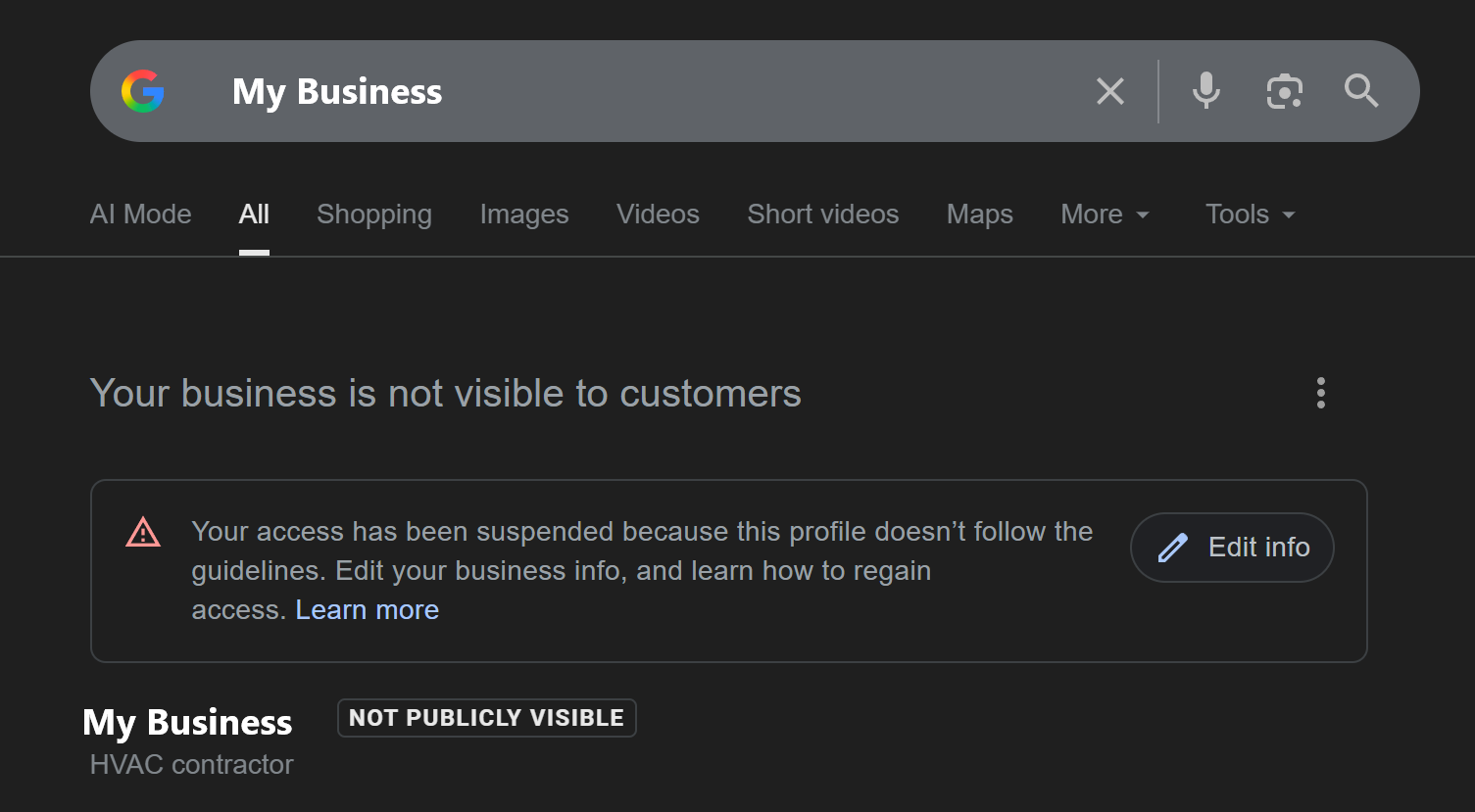
Your GBP is suspended, stuck in verification, or showing "deceptive content" errors. Don't panic. This guide walks you through exactly what went wrong and how to fix it, step by step.
Is This You Right Now?
- • Your Google Business Profile suddenly says "Suspended"
- • You're stuck in verification and can't get past it
- • Google is demanding video verification and you don't know what to show
- • You received a "deceptive content" notice and have no idea why
- • Your profile was working fine yesterday, and now it's gone
A suspended or unverified Google Business Profile means invisible phone lines and lost revenue. Every day your profile is down, competitors are capturing the customers searching for your services. This guide gives you the exact steps to recover your profile and prevent future issues.
Why Google Suspends Business Profiles
Google suspends profiles to protect searchers from spam and fake businesses. Unfortunately, legitimate businesses get caught in the crossfire. Understanding why suspensions happen is the first step to fixing and preventing them.
The "Deceptive Content" Suspension
This is the most common and frustrating suspension type. "Deceptive content" is Google's catch-all term that can mean:
- Inconsistent NAP Information: Your business name, address, or phone number doesn't match across your website, directories, and GBP
- Keyword Stuffing: Adding extra words to your business name (e.g., "Mike's Plumbing | 24/7 Emergency Plumber Near Me")
- Virtual Office Address: Using a UPS Store, Regus, or similar address without actual operations there
- Multiple Listings: Having duplicate profiles for the same business
- Frequent Changes: Making too many edits in a short period triggers spam detection
Common Suspension Triggers
Profile Issues
- • Business name doesn't match legal documents
- • Address format differs from website
- • Phone number listed differently elsewhere
- • Category doesn't match actual services
Behavioral Triggers
- • Changing address multiple times
- • Adding/removing categories frequently
- • Bulk photo uploads flagged as spam
- • Competitor reports (sometimes malicious)
Stuck in Verification? Here's What's Happening
Google has dramatically tightened verification requirements. What used to be a simple postcard or phone call now often requires video verification, especially for home-based businesses and service-area businesses.
Why Your Verification Keeps Failing
Google cross-references everything you submit against your website, social media, and third-party directories. Common verification failure causes:
- Website NAP Mismatch: Your website shows "123 Main Street" but you entered "123 Main St."
- Missing Website: No website or a site with minimal business information
- Service Area Confusion: You listed a home address but selected "service area business"
- Category Mismatch: Your primary category doesn't match your website's stated services
- No Online Footprint: Google can't find your business mentioned anywhere else online
How Video Verification Works
Video verification is Google's way of confirming you're a real business at a real location. You'll record a continuous, unedited video showing:
If you run out of your home and are weighing whether to show your address or stay hidden, read can you rank a service area business before you record - the choice you make here shapes what verification path you take.
Video Verification Checklist
- 1Start on the street: Show your address number visible from the road or parking lot
- 2Pan to signage: Show your business name on signage, door, or vehicle
- 3Show your work vehicle: If you have a branded truck or van, include it
- 4Unlock and enter: Show yourself unlocking the door and walking inside
- 5Show business documents: Display your business license, registration, or utility bill
- 6Show business operations: Your CRM, invoicing software, or equipment
Critical Video Verification Rules
- • One continuous take: No pauses, cuts, or edits
- • Good lighting: Film during daylight if possible
- • Hold documents steady: Keep papers still for 3-5 seconds
- • Show your face: Briefly appear at the end of the video
- • Match everything: Documents must show the exact name on your GBP
How to Appeal a GBP Suspension
If your profile is suspended, you'll need to submit a reinstatement request. This process requires preparation and precision. You typically only get one good shot.

Step 1: Gather Your Documentation
Before starting your appeal, collect every document that proves your business is legitimate:
Required Documents
- • Business registration (Articles of Incorporation, LLC docs)
- • IRS letter (CP-575 or EIN confirmation)
- • State tax certificate
- • Business license
Address Proof
- • Utility bills (electric, water, phone)
- • Lease or property deed
- • Bank statements with address
- • Insurance documents
Step 2: Audit Your Online Presence
Before submitting your appeal, fix any inconsistencies:
- Website: Ensure your business name, address, and phone number match your documents exactly
- Social Media: Update Facebook, LinkedIn, and other profiles with consistent information
- Directories: Check Yelp, Yellow Pages, BBB, and industry directories for accuracy
- Remove Duplicates: If you have multiple GBP listings, consolidate them
Step 3: Submit Your Appeal
When you start the reinstatement process, you'll have approximately 60 minutes to upload all evidence. Prepare everything in advance:
- Have all documents saved as PDFs
- Name files clearly (e.g., "Business_License_2026.pdf")
- Prepare a brief explanation of your business operations
- Be ready to complete the process in one session
Google Workspace Advantage
Having a Google Workspace account (yourname@yourdomain.com) can help your appeal. Being a paying Google customer often signals legitimacy and may result in faster, more favorable outcomes. It also gives you access to Google's business support channels.
How to Prevent Future Suspensions
Once you're reinstated, or if you're setting up a new profile, follow these practices to stay in good standing:
Lock Down Your NAP
Use your official business documents as the source of truth. Write your business name, address, and phone number exactly the same way everywhere, character for character. A properly built SEO website ensures your NAP data is consistent from the ground up.
Avoid Frequent Changes
Don't constantly update your profile. Make changes only when necessary, and batch multiple updates together rather than making daily edits.
Use Your Legal Business Name Only
Resist the temptation to add keywords. "Mike's HVAC" is fine. "Mike's HVAC - Best AC Repair Emergency Service 24/7" will get you suspended.
Build Your Online Footprint
Get listed in legitimate directories, maintain active social media, and ensure your website clearly establishes your business identity and location. Our Local SEO packages include citation building across 70+ authoritative directories to strengthen your online presence.
Respond to Reviews and Messages
Active engagement signals a legitimate, operating business. Respond to every review and answer messages promptly. Our Review Velocity system helps you maintain a consistent stream of fresh reviews that signal an active, thriving business.

Quick Reference: Suspension and Verification Fixes
Get Your Profile Back Online
A suspended or unverified Google Business Profile feels like a crisis, because for local businesses, it often is. But with the right documentation, consistent information, and patience, most profiles can be recovered.
The key is preparation. Gather your documents before you start. Audit your online presence for inconsistencies. Understand exactly what Google needs to see. Then execute the verification or appeal process methodically.
Your customers are searching. Make sure they can find you.
Related Articles

Stop Riding the Business Rollercoaster: Master Your Customer Journey Funnel

Stop Drowning in Business Overwhelm: Focus on What Truly Matters for Local Service Businesses